Soy el fundador de Dataprix, y doy la bienvenida a todos los visitantes del portal, y os animo a registraros y participar.

A nivel profesional soy Ingeniero Informático, con muchos años de experiencia en entornos de bases de datos y Business Intelligence, y bastantes kilómetros hechos ya con herramientas como Cognos, MicroStrategy, SQL Server Integration Services, PowerBI o Tableau.

Últimamente experimentando con Python.

e-mail de contacto
carlos.fernandez@dataprix.com

Member for

19 years 11 months

Publicaciones

  • Remote access using Oracle DBLINK

    The easiest way to access from an Oracle database objects from another Oracle database is using a DBLINK (being the easiest does not mean that it is always the most desirable, the abuse of DBLINKS can create many problems, both of performance and safety)

    To do this it's necessary a user with CREATE DATABASE LINK privilege, and create a DBLINK in the source database (A) by a simple statement such as:

    Create database link LNK_from_A_to_B connect to USER identified by PASSWORD USING 'B'; 

    'LNK_from_A_to_B' is the name of the link, 'USER' and 'PASSWORD' are the IDs of the user who will use the link to connect, which will inherit the permissions of all access through the link, and B is the name of the database's instance.

    Using the DBLINK we can connect to the objects with the remote database's permissions that user has been provided in the creation statement.

    To reference an object from the remote database should indicate the name of the object, concatenated with the character '@' and the name that we had given to the DBLINK.

    Example: 

    select * from TABLA@LNK_from_A_to_B 
  • How to connect from Oracle SQL Developer with a remote SQL Server

    I tried to create a connection in SQL Developer with a remote SQL Server database. The first steps to configure Oracle SQL Developer are described in the introductory article to SQL Developer, and had already done some testing with a SQL Server installed on the same machine as SQL Developer, but when I tried to do it with a remote BD SQL Server I found some additional difficulty that I think it's interesting to comment.

  • La historia digital del Nacimiento del niño Jesús

    Genial este video que muestra a través de la utilización de medios sociales una original historia del nacimiento de Jesús en Navidad.

    Aparte de ser divertido puede ir bien para hacer un recorrido rápido por las principales funcionalidades de Facebook, Twitter, YouTube, Google, Wikipedia, Google Maps, GMail, Foursquare o Amazon...

  • La nueva Report Store de Apesoft

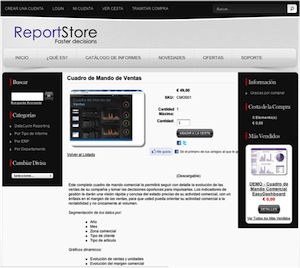
    ReportStore de ApesoftRecientemente Apesoft ha lanzado su ReportStore, una tienda online de informes y cuadros de mando predefinidos, preparados para ejecutarse sobre Excel con la ayuda de Datacycle Reporting.

    Para poder utilizar los informes se ha de disponer de alguna versión de Datacycle Reporting, el software de reporting de Apesoft. El proceso para poder utilizar uno de estos informes es simple: desde la misma herramienta, se accede a la Report Store, se selecciona el informe que se desea, se compra, se importa y se utiliza como cualquier otro informe..