Soy el fundador de Dataprix, y doy la bienvenida a todos los visitantes del portal, y os animo a registraros y participar.

A nivel profesional soy Ingeniero Informático, con muchos años de experiencia en entornos de bases de datos y Business Intelligence, y bastantes kilómetros hechos ya con herramientas como Cognos, MicroStrategy, SQL Server Integration Services, PowerBI o Tableau.

Últimamente experimentando con Python.

e-mail de contacto
carlos.fernandez@dataprix.com

Member for

19 years 11 months

Publicaciones

  • Cómo recuperar los privilegios de administración (SYSADMIN) en SQLServer

    Si eres DBA y no puedes gestionar tus instancias de SQL Server porque no puedes entrar con el usuario 'sa', y no tienes ningún otro usuario con rol SYSADMIN, en el post How to connect to SQL Server if you are completely locked out, de MSSQLTips, nos explican una manera de recuperar el acceso a SQL Server como SYSADMIN.

    Es algo parecido al método que explicaba il_masacratore para Recuperar la contraseña del usuario sys y system en Oracle, la clave está en entrar en la base de datos utilizando el usuario de sistema Administrador del servidor en el que está instalada.

    Al conectar en modo 'single user' con un administrador local del servidor, podremos disfrutar de los permisos de administración de SYSADMIN para recuperar todo lo que haga falta, o asignar los privilegios necesarios a cualquier usuario.


  • Tips para realizar UPSERTs o updates con insert en SQL Server

    Merge SQL

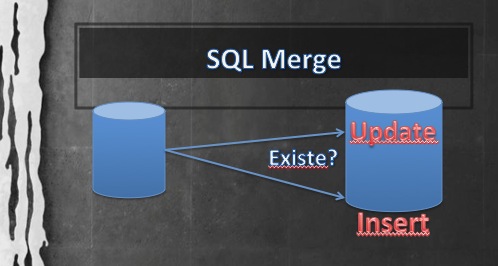
    En muchas ocasiones, especialmente en procesos ETL o de carga de datos para un data warehouse, por ejemplo, interesa hacer en una sola sentencia o en un solo paso la comprobación de si un registro existe, y si existe actualizarlo, y si no insertarlo. A esta combinación se le ha apodado UPSERT, aunque en SQL existe una sentencia específica para hacerlo, que es MERGE.

  • Qué metodología de BI utilizas?

    En el artículo de Factores Críticos de un proyecto de BI se mencionan los principales enfoques metodológicos para proyectos de BI, y hay unos cuantos. 

    Para ser sincero, en ninguno de los proyectos en los que he participado se ha mencionado demasiado el término metodología de BI, como mucho se ha hablado de diseño, y de filosofía Kimball o Inmon.

    Obviamente mi visión está limitada a mi experiencia, pero mi impresión es que en Business Intelligence se improvisa mucho, y las implantaciones se basan más en best practices que en metodologías completas, de ahí la importancia de los Factores Críticos de éxito que también se recopilan en el mismo artículo, y que podremos tratar en otro debate.

    De todas maneras, echando la vista atrás, si tengo que poner nombre a la aproximación utilizada en los proyectos de BI en los que he participado, sin duda las que mejor encajan son las metodologías Demand-Driven, User-Driven y Prototype-Driven Approach.

  • Differences between Oracle, SQL Server, DB2, MySQL and other ..

    The operation of databases from different manufacturers is similar, but there are many differences between them, even at level of SQL syntax.

    For example, if you knows Oracle, and one day you have to do a date conversion with MySQL, you will wonder the following:

    - How to do a TO_DATE () / TO_CHAR () with MySQL? 

    I open this blog entry to discuss different ways of doing things with each database type. 

    Here I link the SQL Tips Bristle Software , which explains quite well how to do some things with MySQL, Oracle and SQL Server, and I find especially useful the chapter on differences between Oracle and SQL Server

  • The Oracle listener

    In order to access to the same database where are you working outside the database server you must activate the service called listener, it has to be listening.

    It can happens that the database is properly raised and can not connect from other servers, which are also set correctly (correct TNSNAMES, etc.).. 

    In these cases could be that the listener has a problem, or simply has not been initiated.

    To Check the status, start or stop it is very simple. Just open a command line session (console terminal, etc..) with the user that has installed the database, and run the lsnrctl command with the following parameters:

    • Check your state:
        > lsnrctl status

    • Stop the listener:
        > lsnrctl stop

    • Start the listener:
        > lsnrctl start

    Keep in mind that when you stop the listener, the connections that are already in the database won't be closed, so a short stop is not very traumatic, only connections trying to enter while the listener is stopped are rejected, should not affect anyone who already has an opened session.

  • Login with SQLPlus as a DBA without entering password

    If you have the system user who installed the database you can enter SQL Plus as DBA user, without entering a password as follows:

    1. Enters the system with this user. 
    2. From the command line, go into SQLPlus typing:

    > sqlplus "/as sysdba"
    

    If you need to enter using this way because you forgot the password of a user, you can easily change it: 

    SQL> alter user user_name identified by new_password;
    

    It can be more than one Database installed on the server, so you have to validate that the environment variables of the Oracle's user are pointing to your database.

    For verifying that you has login into the correct database you can execute this statement: 

    SQL> select name from v$database;